TABLE OF CONTENTS
Hide an Existing Page
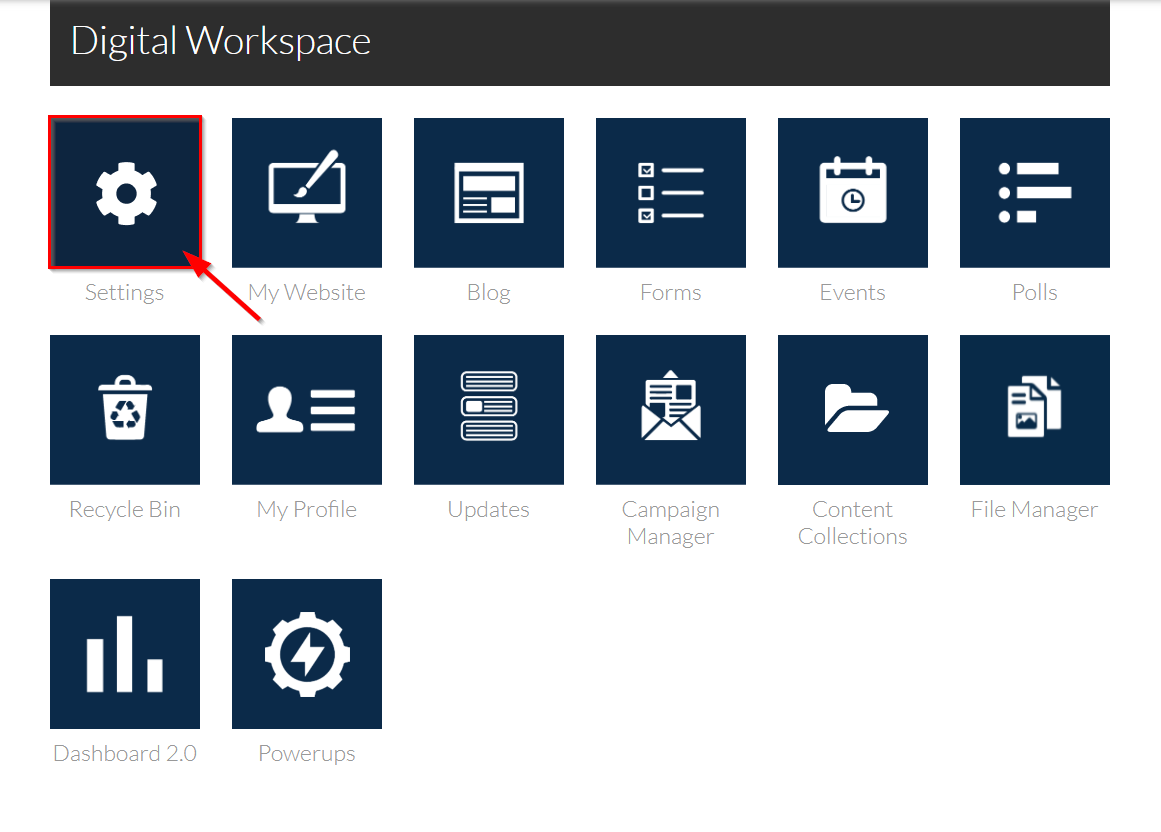
1. Navigate to Settings.
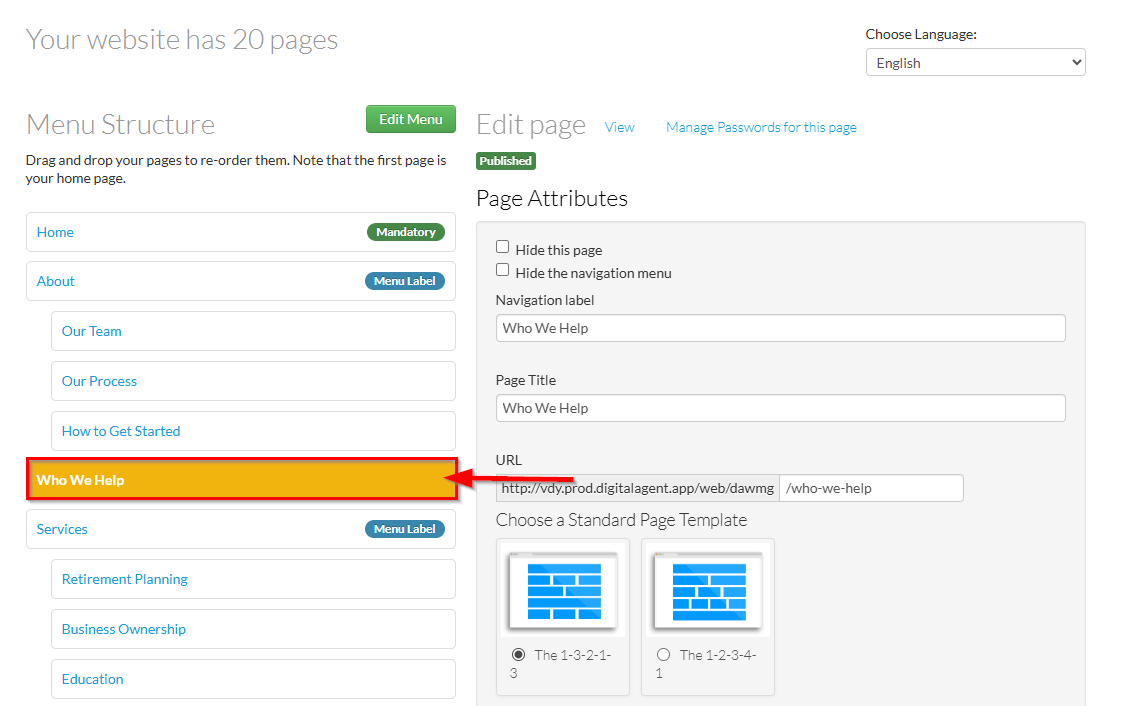
2. Select the page you’d like to hide in the Menu Structure.
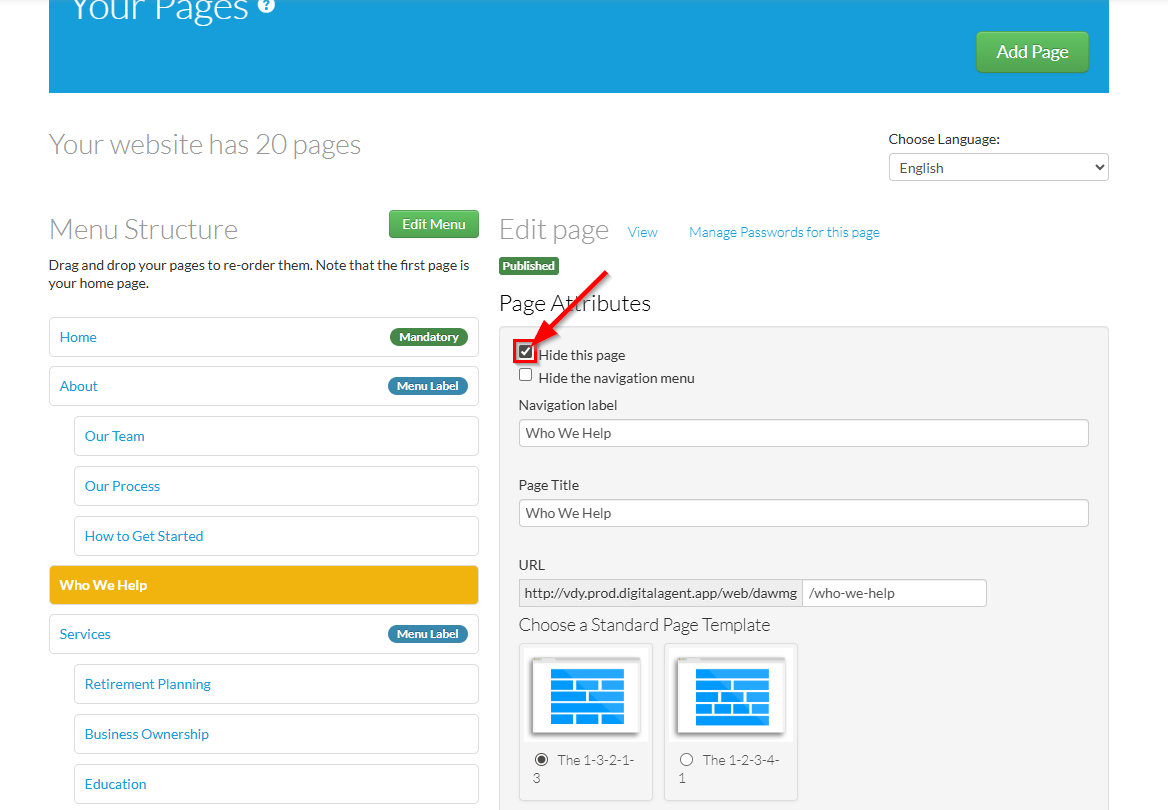
3. Click the Hide this page checkbox.
- Hide this page: Toggles the Navigation Label visibility of the selected page in the navigation menu of your website.
- Hide the navigation menu: Toggles the visibility of the navigation menu on that specific page.
4. When you are finished, click Save This Page to submit the changes to Compliance.

Add a New Hidden Page
1. Navigate to Settings.
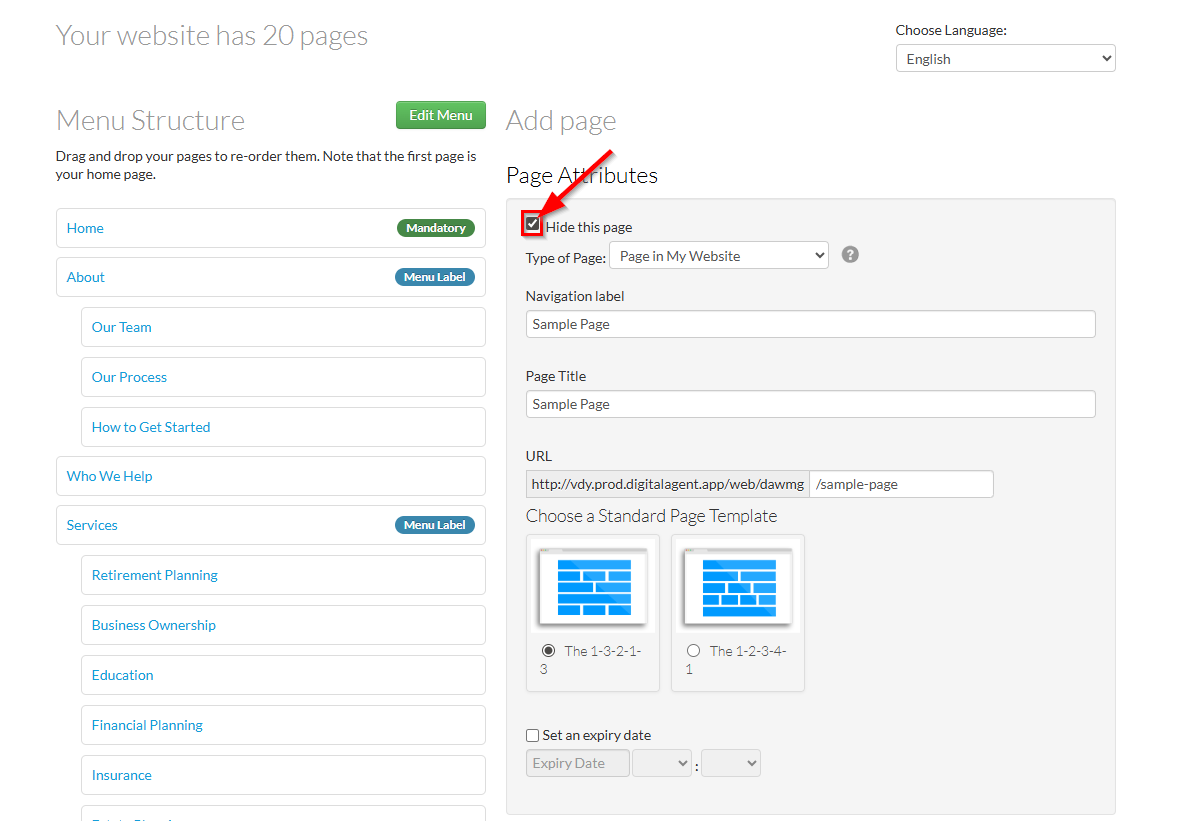
2. Click the Add Page button in Your Pages.

3. When populating your new page with information, select the Hide this page checkbox to add your new page in a hidden state.
- See Add a New Page for more information on adding a new page.
⚠️ Important: If you'd like to immediately start adding content to your new page, it’s recommended to create the page without hiding it. New pages that are hidden while in Pending status will not show in the navigation menu of your draft website and will not display the View button (see below: Accessing a Hidden Page).
You can create a new page, add your content in My Website, then return to Settings to hide the page once you're finished.
4. When you are finished, click Save This Page to submit the changes to Compliance.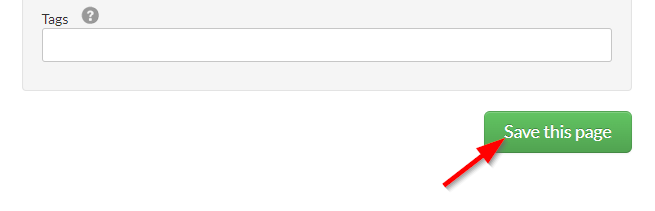
Accessing a Hidden Page
If your hidden page is in an Approved state, you may navigate to it directly from the page's settings.
1. Select your hidden page in the Menu Structure.
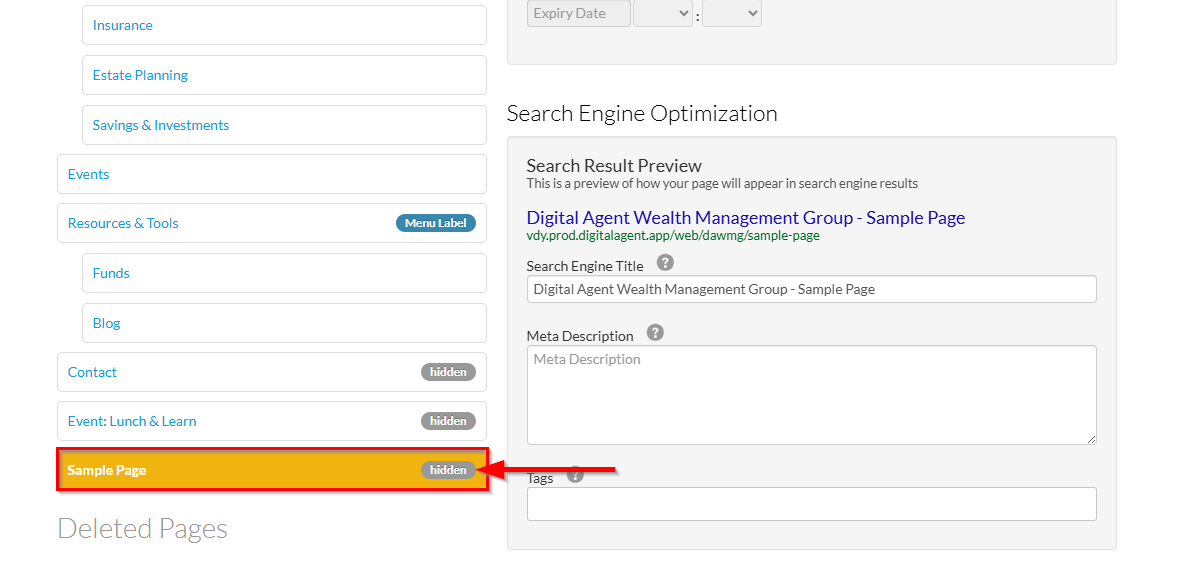
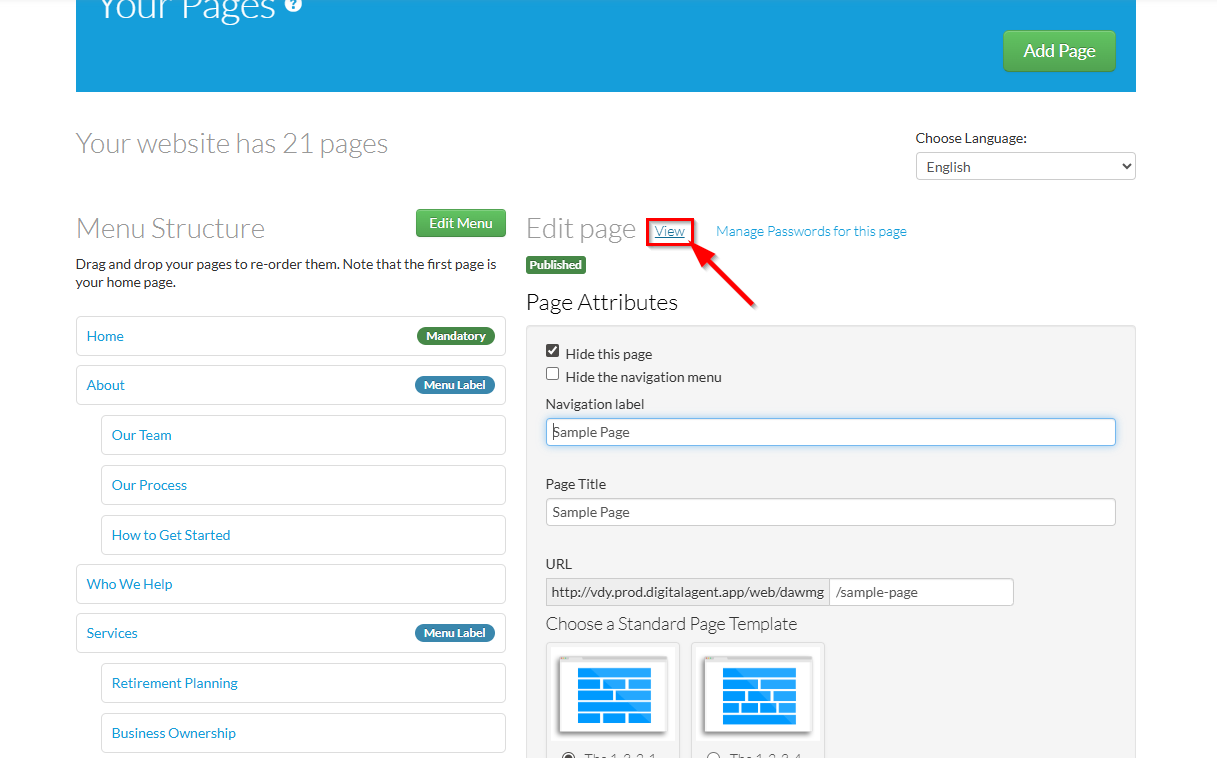
2. Beside the Edit Page header at the top of the Page Attributes, click the View button.
Note: A newly created page in Pending status will not display the View button.
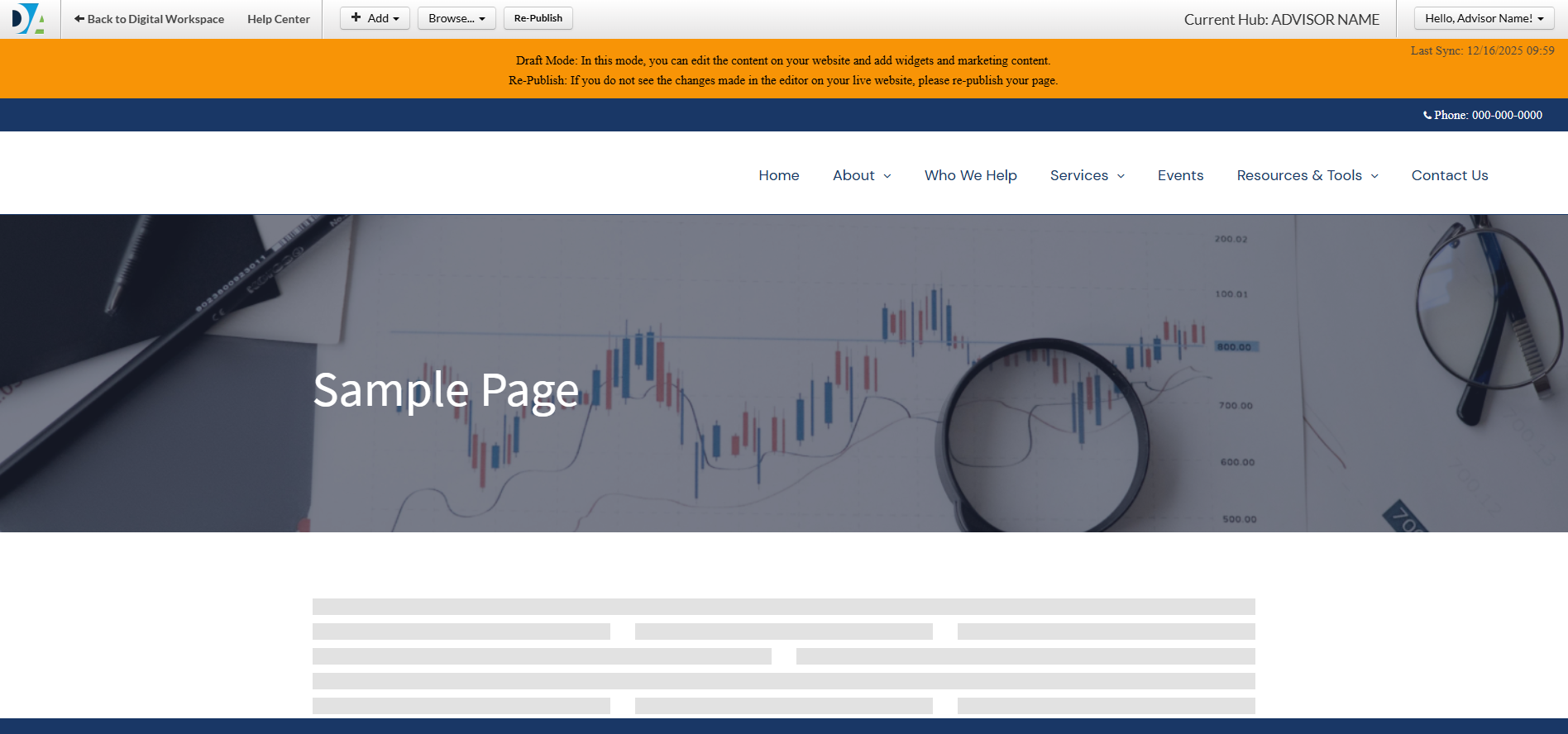
3. You will be redirected to this page within the draft website (My Website) and may add and edit your page's content.
Was this article helpful?
That’s Great!
Thank you for your feedback
Sorry! We couldn't be helpful
Thank you for your feedback
Feedback sent
We appreciate your effort and will try to fix the article