Alt Tags
Digital Agent has been enhanced to make alternative text mandatory based on configuration within the organizational structure.
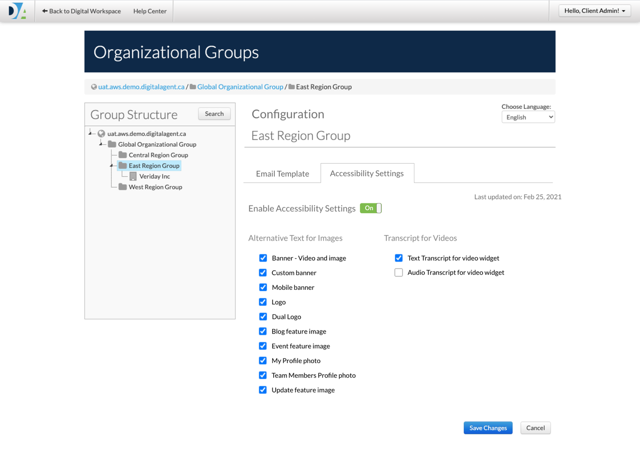
Enforcement of the selection is only done upon updates to the content and is not retroactively applied.
The following is a list of areas within Digital Agent that have been enhanced.
When alternative text for a Dual Logo is made mandatory then the image alternative text is made mandatory on the Logo Management page and the alternative text field is revealed once the logo is uploaded for both the logos on the desktop and/or mobile configurations
When alternative text for a Mobile banner upload is made mandatory then the image alternative text is made mandatory on the Banner Management page and the image alternate field is revealed post image upload
When alternative text for an Update’s feature image is made mandatory then the image alternative text is made mandatory on the Update functionality and is displayed once the image is uploaded
When alternative text for an Team member’s Profile Photo is made mandatory then the image alternative text is made mandatory on the Team member’s Profile Photo and the alternate text field is revealed once the user uploads the image
When alternative text for an Profile Photo is made mandatory then the image alternative text is made mandatory on the My profile page and the image alternate field appears once the image is uploaded
When alternative text for an Event is made mandatory then the image alternative text is made mandatory on the Add event page and the image alternate field is revealed post image upload
When alternative text for a blog is made mandatory then the image alternative text is made mandatory on the Add Blog Post page and the image alternate text is revealed once the image is uploaded
When alternative text for a Logo is made mandatory then the image alternative text is made mandatory on the Logo functionality and the alternative text is revealed once the logo is uploaded
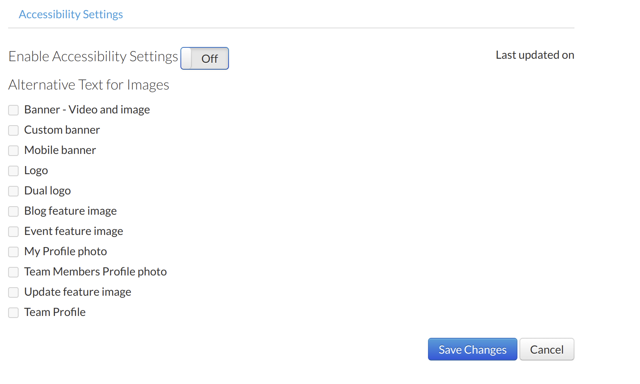
Note: By default the screen above will be available to a client Admin user for configuration of the Alt tag requirements. By not configuring any mandatory alt tag the feature is not enabled and Digital Agent continues to operate as it does prior to the deployment with Alt Tag improvements as per the screenshot below..
Accessibility Checker
Use Accessibility Checker to inspect the content when you work on it, right in the WYSIWYG editor.
Provides feedback on items that are WCAG 2.0 compliance issues
Access the accessibility checker through the icon beside Source in the screen below
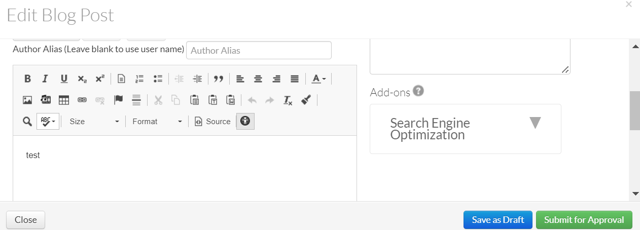
The feature has been enabled for Web Content (Blogs, Profiles & Custom Content)
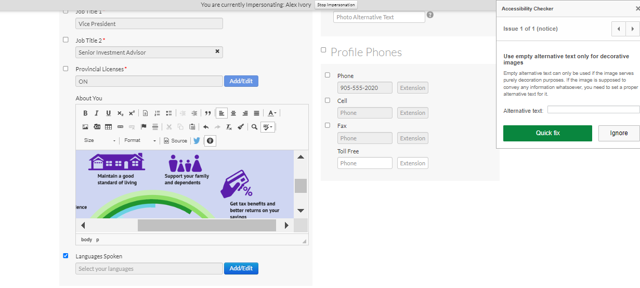
Sample of assessment feedback by the accessibility checker
Team Profiles
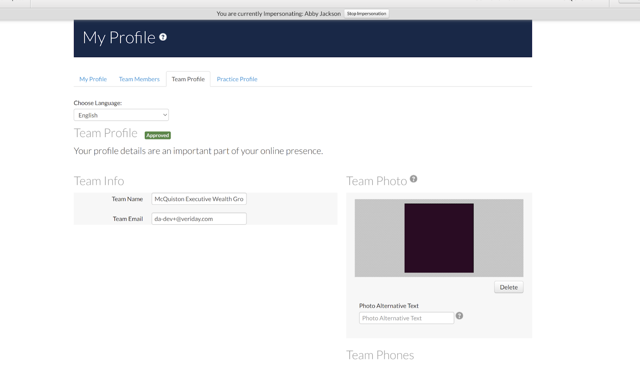
When alternative text for an Team Profile Photo is made mandatory
then the image alternative text is made mandatory on the Team Profile Photo
and the alternate text field is revealed once the user uploads the image
and an error message is prompted in case the user does not provide the alternate text.
and saves the configuration
Extend Anchor Links Feature set to web admin
Given that a web admin wants to create an anchor link for their website
when they navigate to the Add a Page option inside user settings
Then the web admin can also see the option to create anchor links.
Given that a web admin wants to create an anchor link for their website
when they navigate to the widget library inside website editor
Then the web admin can also see the option to create and drop anchor links on their website.
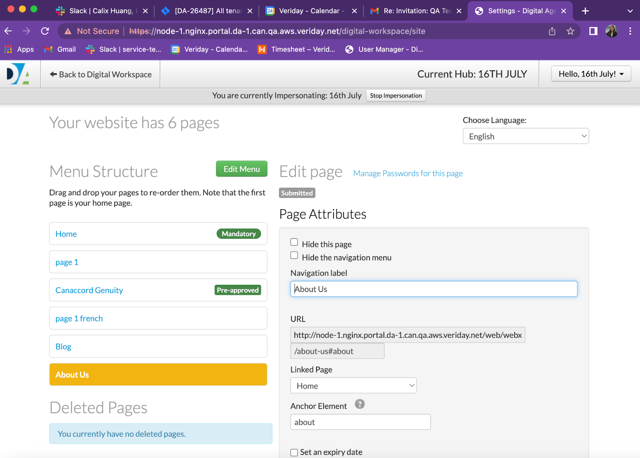
Given that a web admin wants to create an anchor link for their website
when they navigate to the Add a Page option inside user settings
Then the web admin can also see the option to create anchor links.
and the anchor link name should go through compliance for approval.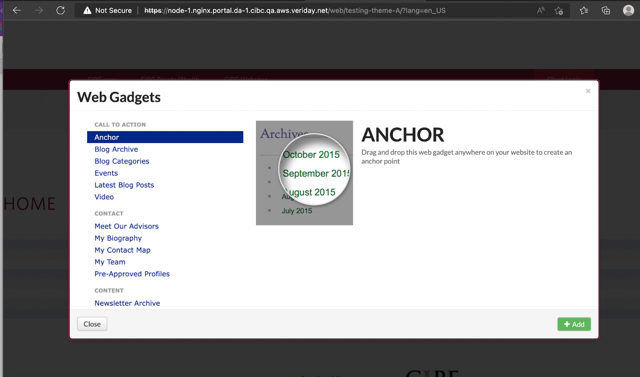
 Adding "Source" button to Web Content in Compliance HQ
If a reviewer needs to adjust the formatting for a content piece, they will no longer need to log out of Compliance HQ and go to the advisors website to adjust the formatting with the addition of the source button within Compliance HQ 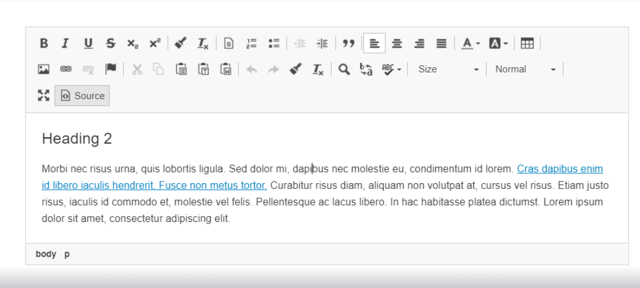
Increase Meta Description Limit
The current character limit of160 characters for meta descriptions (under Your Pages and Blogs) has been increased to 280 characters in order to align with other platforms such as Twitter which are now allowing meta descriptions to be 280 characters.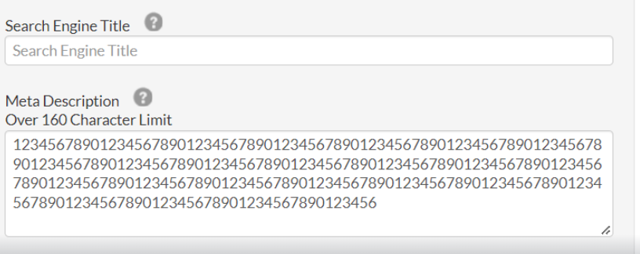
Was this article helpful?
That’s Great!
Thank you for your feedback
Sorry! We couldn't be helpful
Thank you for your feedback
Feedback sent
We appreciate your effort and will try to fix the article