Unpublishing your content
To make your content inaccessible without deleting it completely, you may right-click on your content in the Marketing Hub and select Unpublish.
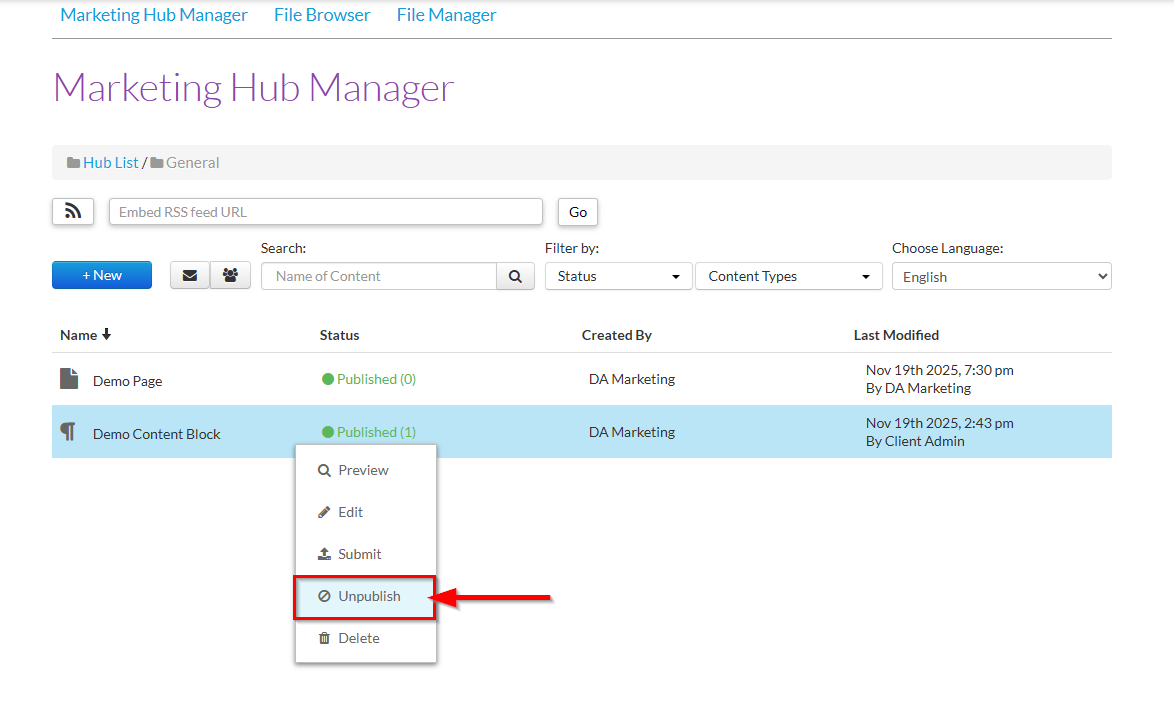
Your content will now be marked as Unpublished.
The content will no longer be visible on user's live website and the following will now display on the draft site:
This marketing content has been removed. This message is not visible to the public, however, you should remove this widget from the page.

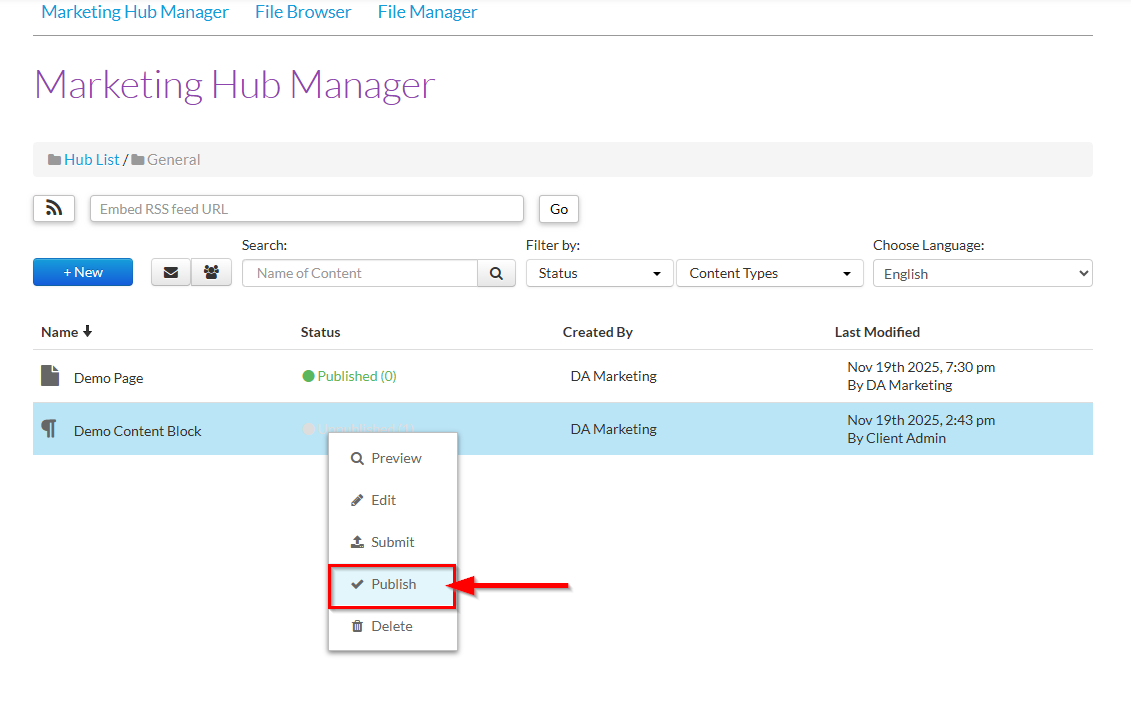
You can republish your content again at any time by right-clicking on your unpublished content and selecting Publish.
Deleting your content
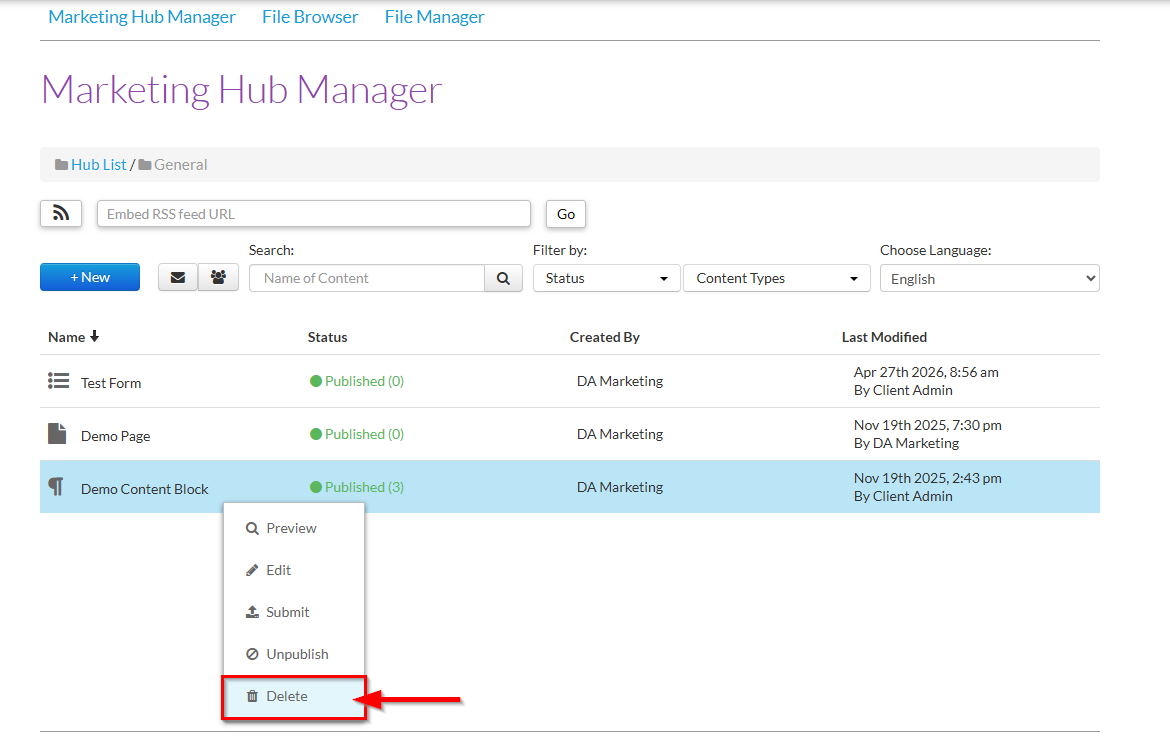
To delete your marketing content, right-click on your content in the Marketing Hub and select Delete.
Was this article helpful?
That’s Great!
Thank you for your feedback
Sorry! We couldn't be helpful
Thank you for your feedback
Feedback sent
We appreciate your effort and will try to fix the article